Kauzas AI Platform
Enterprise AI, governed by your policies.
Build enterprise search, AI assistants and agents over the data you already have. Manage user, agent, tool and data-source permissions from one place.
- Works with existing data infrastructure
- Works with different models and providers
- Runs on a closed network
Platform approach
Building agents is the beginning. Managing them at enterprise scale is the real challenge.
Kauzas AI Platform brings together enterprise search and RAG, agents, MCP integrations, model management, authorization, usage budgets and audit records. Build AI applications on your existing infrastructure while keeping access, cost and operations under control.
Build · Govern · Operate
Data infrastructure
Works with the data infrastructure you already have.
Kauzas AI Platform does not require Kauzas Data Platform. It can connect to your ERP, CRM, IoT and document systems through suitable connectors and access layers. You choose the data sources, integrations and deployment environment that fit your needs.
Kauzas Data Platform
In-house · AWS Local Zone Istanbul
AWS
S3 · Glue · SageMaker Unified Studio
Microsoft Azure
Fabric · OneLake · Synapse
Google Cloud
BigQuery · Cloud Storage
Databricks
Unity Catalog · Delta Lake
Your own data lake
Existing, or built in-house
You do not have to rebuild your data infrastructure to start on enterprise AI. Kauzas integrates with the systems you already run, and adapts as those systems change.
Identity and permissions
The right data, under the right permissions, for every user.
For enterprise AI to be rolled out with confidence, each user must reach only the data they are entitled to see. Kauzas applies those controls at the point where data is accessed.
An arrangement without central authorization
- 01The agent connects to the data source under a technical account shared by all users.
- 02That account is broadly privileged, because it has to serve every user.
- 03With no per-user permissions applied as data is read, content outside a user's scope can be processed by the model.
- 04The user's permissions are evaluated only at the interface, after the answer is produced.
Authorization stays at the interface, after the answer exists.
Kauzas AI Platform
- 01The user signs in through the organization's identity provider.
- 02Access policies decide which agents and tools they can reach.
- 03Where a connector supports it, the tool connects to the data source under that user's identity.
- 04Content outside their permissions is not sent to the model.
Authorization is applied as data is read, before the model answers.
A user's identity and access rights are evaluated from the agent and tool layer through to the data source.
Technical foundation: identity and group management with Keycloak · policy-based authorization with Cedar.
Capabilities
Search, agents and model management in one interface.
Skill packs, model settings and the setup of MCP servers all sit in the same interface. Setting up an MCP server is itself subject to the same authorization rules.
Hybrid search
Combines keyword and semantic search, so people reach enterprise knowledge more easily.
AI agents
Run multi-step business processes with LangGraph agents, acting within the permissions they are given.
Model independence
Choose the AI models and providers that suit your organization, and change them when you need to.
Skill packs
Define AI capabilities tailored to particular departments, sectors and business processes.
Prompt management and A/B testing
Version prompts and skill packs, and measure what a change did to the results with A/B tests.
Output quality evaluation
Measure and compare model and agent answers against the quality criteria you set.
Access to current data
Changes in data sources are reflected in the search infrastructure according to the configured synchronization schedule. Agents work with the most recently synchronized information.
Improvement from feedback
Collect user feedback and keep improving the quality of your AI applications.
Multilingual use
Build AI applications in the languages your chosen model supports.
Security controls
Define guardrail rules to reduce prompt injection risks and control unwanted outputs.
Running on a closed network
With suitable models and infrastructure components, run your AI applications in environments with no internet access.
MCP integrations
Connect agents to enterprise tools and services over MCP, with defined access permissions.
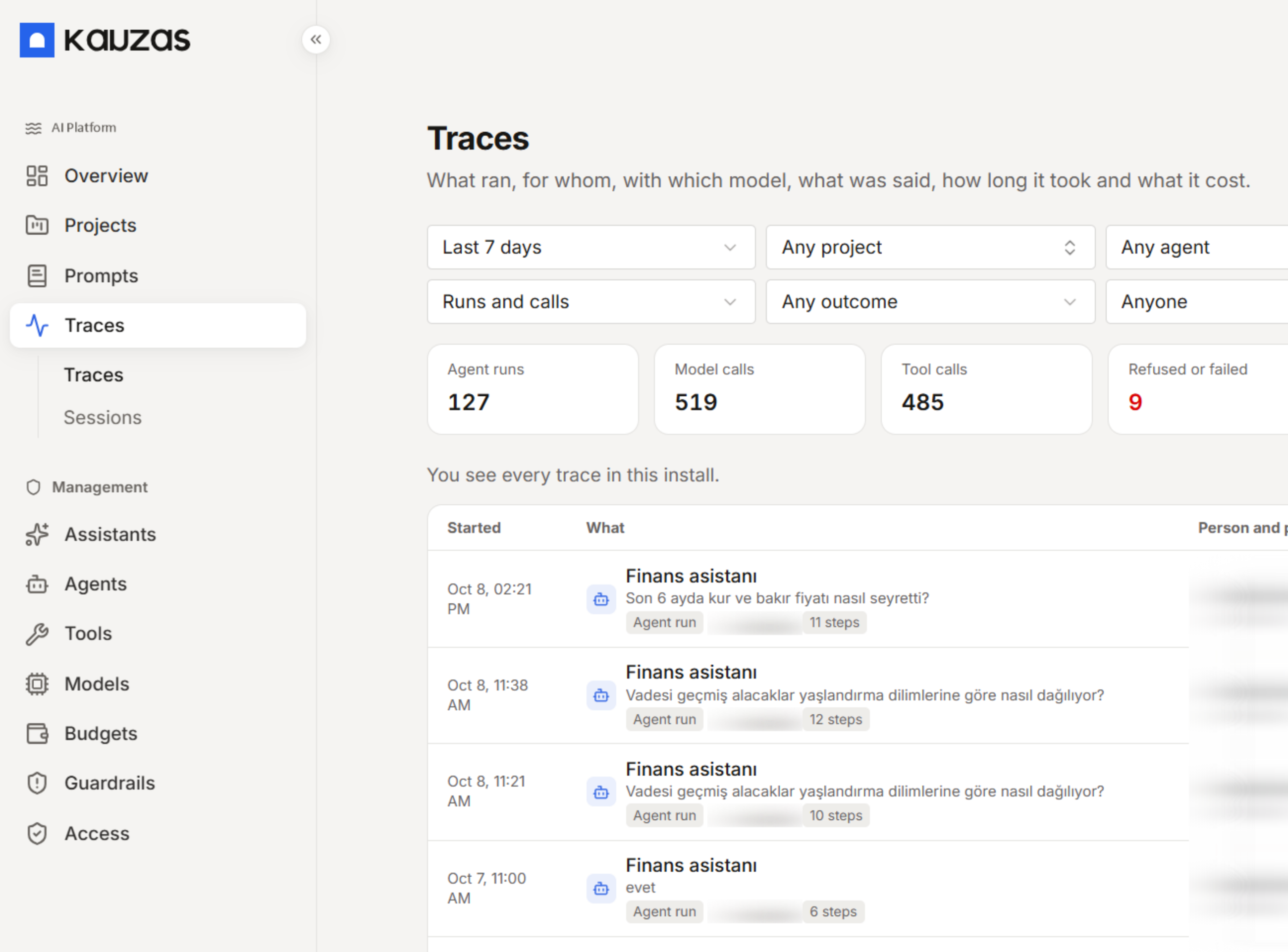
The console
Manage all your AI applications from one place.
Projects, agents, models, tools, access policies, budgets and run records are all managed from the Kauzas console.
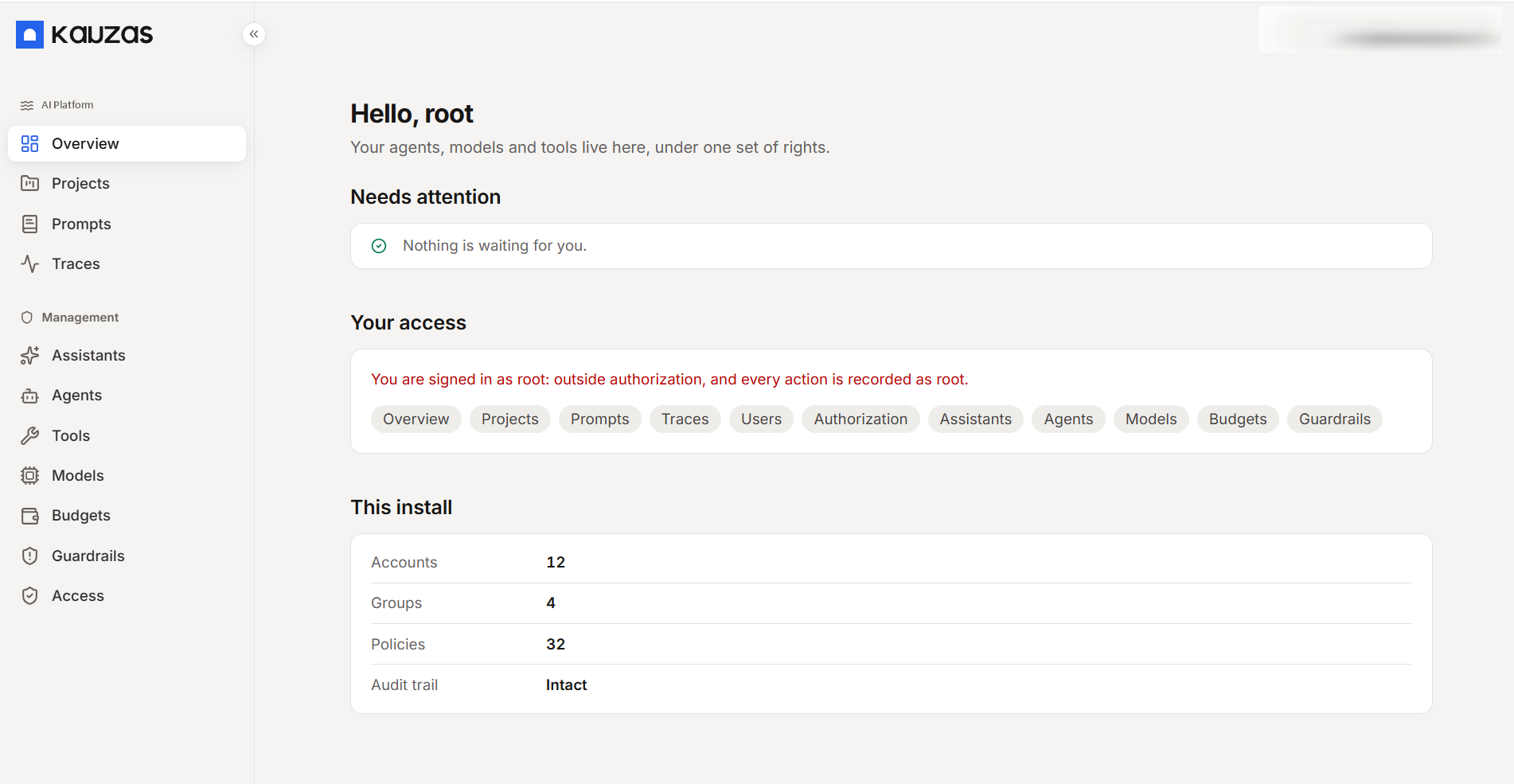
These captures come from an installed environment; user names, email addresses and session details are blurred.
Defined management permissions for every user
In the console each administrator manages the projects, models and users within their own permissions. Those management rights are themselves defined by roles in the organization's identity provider.
Oversight
Track AI usage and cost from one place.
Follow usage statistics, costs and run history. Set usage limits and budgets per user and per group.
Run records and audit trail
Within the logging and access policies you define, authorized administrators can review AI interactions and run history. Langfuse can serve as the observability layer.
Usage limits and budgets
Plan AI usage and cost more easily with limits defined per user and per group.
End-to-end authorization
Kauzas applies central authorization policies to agent and tool access. With supported connectors, the data source's own access rules are also evaluated.
Frequently asked questions
- Do I need Kauzas Data Platform to use Kauzas AI Platform?
- No. The platform runs stand-alone and works with existing data infrastructure such as your own lakehouse, Microsoft Fabric or Amazon SageMaker Unified Studio. Kauzas Data Platform is only one of those substrates.
- Can the assistant see data the user is not permitted to see?
- The user's identity and permissions are evaluated when accessing agents and tools. Where a connector can pass the user's identity to the data source, that source's own access rules are also enforced. For systems without this capability, the authorization model and access scope are defined during deployment. Kauzas access controls are applied before content is sent to the model.
- Which AI models can be used?
- Kauzas AI Platform is designed to work with different models and providers. Available models depend on the supported connection types and deployment configuration. Within that scope, models or providers can be changed later.
- Does it run in environments with no internet connection?
- The platform can be installed and operated on closed networks. In that case the large language model and the other components it connects to must also be able to run inside the same network; models supplied as an external service cannot be used on a closed network.
- Which data sources can it connect to?
- Data in ERP, CRM, IoT and document systems can be accessed through suitable connectors and access layers. The connected sources and scope of access are determined during deployment.
- Is multilingual use supported?
- Yes, without a separate language switch. Multilingual use extends as far as the languages the connected model supports.
- Can AI usage be audited?
- Within the logging and access policies you define, authorized administrators can review AI interactions and run history. Langfuse can serve as the observability layer. Usage limits and budgets can also be defined per user and per group.
- How is output quality measured?
- An evaluation layer that measures model and agent answers against the quality criteria you set is available and can be switched on when needed. Prompts and skill packs support version management and A/B testing.
- Is there protection against harmful output?
- Guardrail rules can be configured to reduce prompt injection risks and control unwanted outputs.
See how Kauzas AI Platform would work on your own infrastructure.
Let's look together at how Kauzas behaves on your existing data sources and your own permission model.